WE WILL BE AT NEOCON ON JUNE 8-10, 2026
Grab time with us
WE WILL BE AT NEOCON ON JUNE 8-10, 2026
Grab time with us
PORT
From Quote to SIF in Hours Seconds
Port extracts data from vendor quotes with high accuracy, and instantly generates clean SIF files. Eliminate manual entry, reduce errors, and accelerate customer response time.
Port by the Numbers
Port is a battle-tested product; here is the measured impact on real dealers
Port's accuracy vs. humans

5x
Port's accuracy vs. humans

5x
Human working hours saved

5 years+
Human working hours saved

5 years+
Speed compared to humans

1,000x
Speed compared to humans

1,000x
Port in Action
Upload Multiple Vendor Quotes
Map MFG/CAT Codes
Configure data to dealer standards
Upload Multiple Vendor Quotes
Under the hood
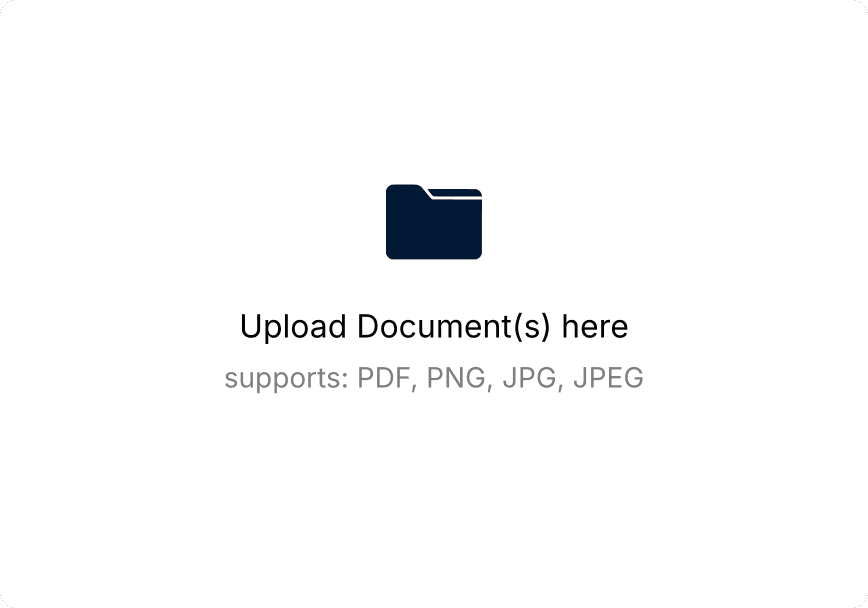
Upload up to 20 quotes as PDFs or images
Port processes quotes in parallel at 1,000x human speed
Review output in easy to understand, editable UI
Generate clean SIF files, ready for CAP, Spec, Hedberg etc.
Upload Multiple Vendor Quotes
Under the hood
Upload up to 20 quotes as PDFs or images
Port processes quotes in parallel at 1,000x human speed
Review output in easy to understand, editable UI
Generate clean SIF files, ready for CAP, Spec, Hedberg etc.
Upload Multiple Vendor Quotes

Under the hood
Upload up to 20 quotes as PDFs or images
Port processes quotes in parallel at 1,000x human speed
Review output in easy to understand, editable UI
Generate clean SIF files, ready for CAP, Spec, Hedberg etc.
Map MFG/CAT Codes
Under the hood
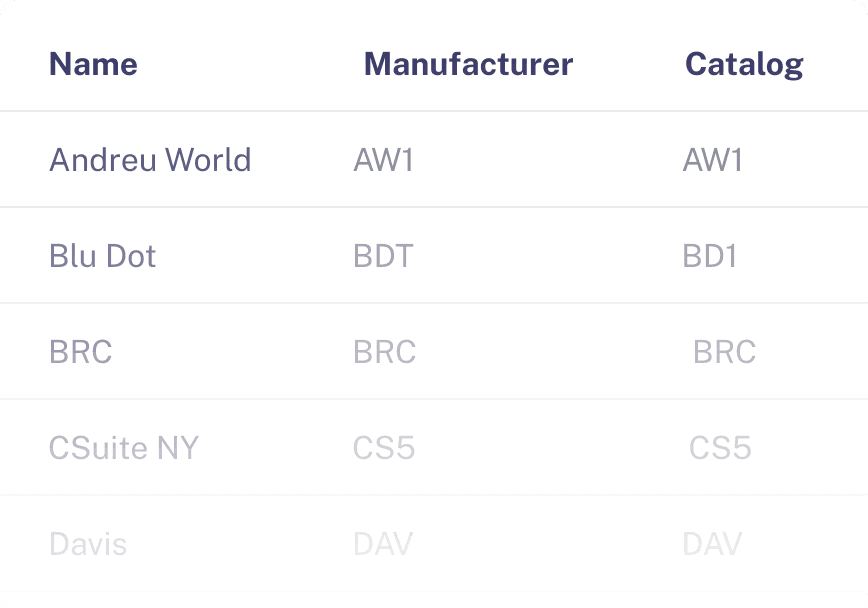
Map to your internal MFG and CAT codes
Ensure every exported SIF aligns with your business system
Port automatically detects COM vendors
Easily update codes to accommodate dynamic vendor lists
Map MFG/CAT Codes
Under the hood
Map to your internal MFG and CAT codes
Ensure every exported SIF aligns with your business system
Port automatically detects COM vendors
Easily update codes to accommodate dynamic vendor lists
Map MFG/CAT Codes

Under the hood
Map to your internal MFG and CAT codes
Ensure every exported SIF aligns with your business system
Port automatically detects COM vendors
Easily update codes to accommodate dynamic vendor lists
Configure data to dealer standards
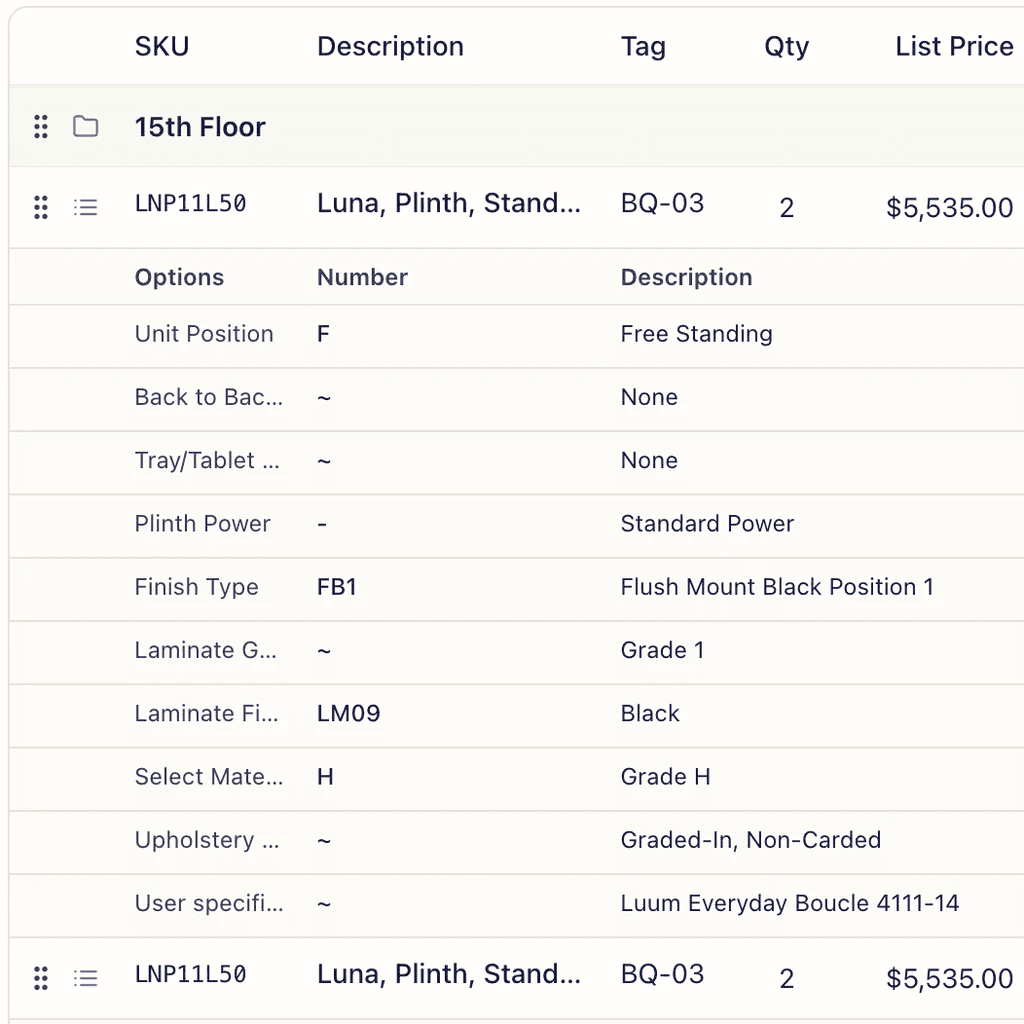
Under the hood
Customize SIF field mappings (tags, aliases, quote numbers etc)
Set default values for freight, packing, and tariff surcharges
Control how line items group or split on export
Lock in dealer-specific formatting rules across every file
Configure data to dealer standards
Under the hood
Customize SIF field mappings (tags, aliases, quote numbers etc)
Set default values for freight, packing, and tariff surcharges
Control how line items group or split on export
Lock in dealer-specific formatting rules across every file
Configure data to dealer standards

Under the hood
Customize SIF field mappings (tags, aliases, quote numbers etc)
Set default values for freight, packing, and tariff surcharges
Control how line items group or split on export
Lock in dealer-specific formatting rules across every file
What Port Customers Get
Beyond pure automation, Port delivers best-in-class onboarding, training, analytics and security.
01
Enterprise Grade Security
Encrypted data in transit and at rest, secure infrastructure, and strict access controls - protecting sensitive pricing and vendor information.
02
Practical, Hands-On Training
User training to boost adoption, confidence, and ROI.
03
Real-Time Analytics
Real-time visibility into your team's volume, accuracy, speed, and time saved.
04
Continual Upgrades
The Cerulean team is continually improving Port, with our customers' feedback front and center.
FAQs
Common questions
Documents and Inputs
What documents does Match compare?
Match compares Purchase Orders (POs) against Order Acknowledgements (OAs) from vendors. These are the two primary documents exchanged between dealers and manufacturers when an order is placed and confirmed.
What file formats does Match support?
Match accepts PDFs and image files including PNG, JPG, and JPEG. Because Match supports images, users can upload screenshots or scans of documents received by email or from vendor portals.
Do documents need to follow a specific format?
No. Match is trained on contract furniture documents from a wide range of manufacturers and can process documents regardless of layout or formatting style.
Document Comparison Accuracy
What does Match validate?
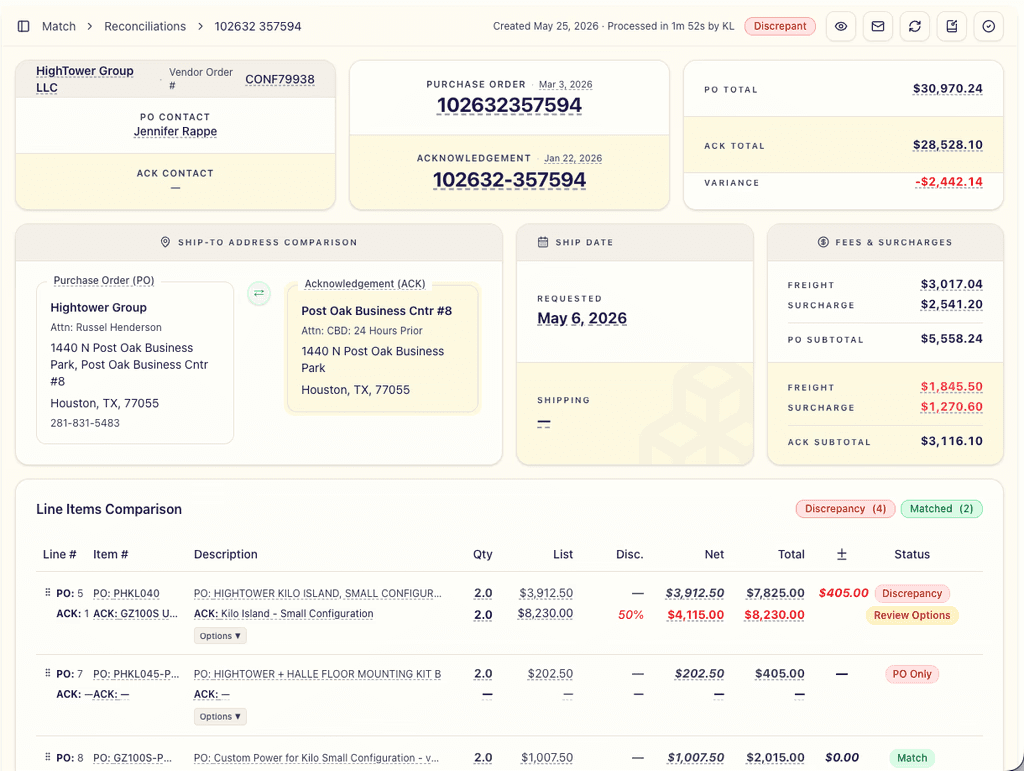
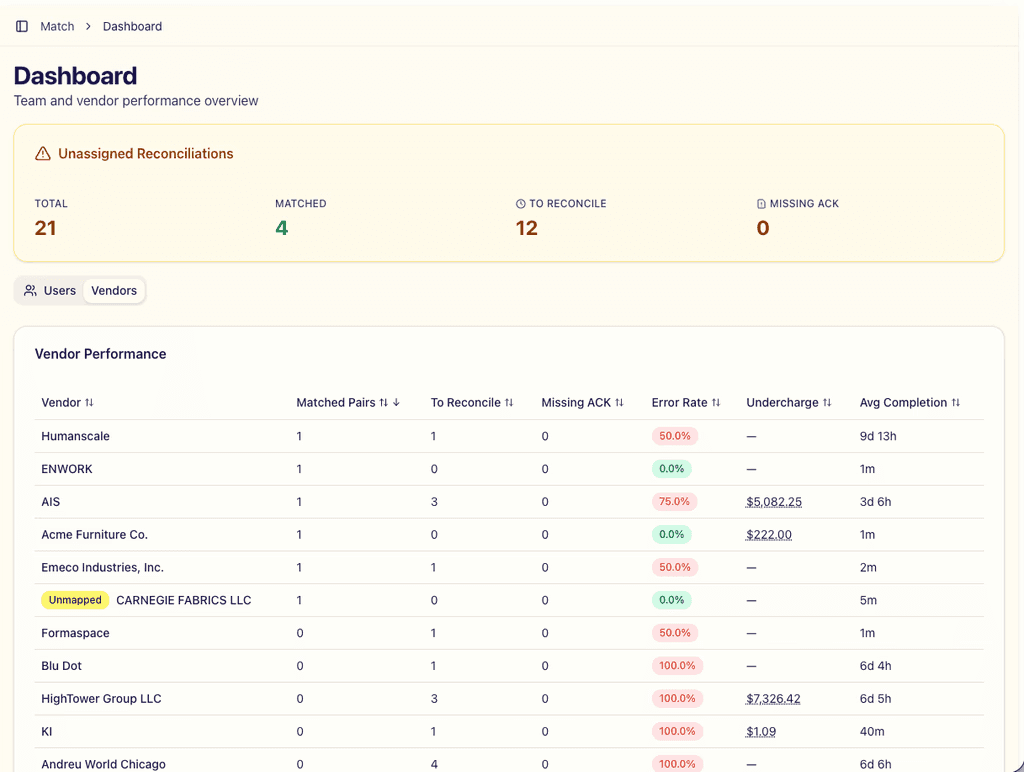
Match validates totals, line items, quantities, pricing, freight, and shipping details across a Purchase Order and its corresponding Order Acknowledgement. Match also identifies where options such as colors and finishes may be discrepant.
How accurate is Match?
Match's AI is trained specifically on contract furniture documents and improves as it processes more orders. Users review Match's output before finalizing any dispute or vendor communication.
Workflow
How does Match fit into the order entry workflow?
After a vendor returns an Order Acknowledgement, users upload both the PO and OA into Match. Match compares the two documents and surfaces discrepancies in seconds, so teams can resolve issues before they become fulfillment problems.
Can Match help resolve issues with vendors?
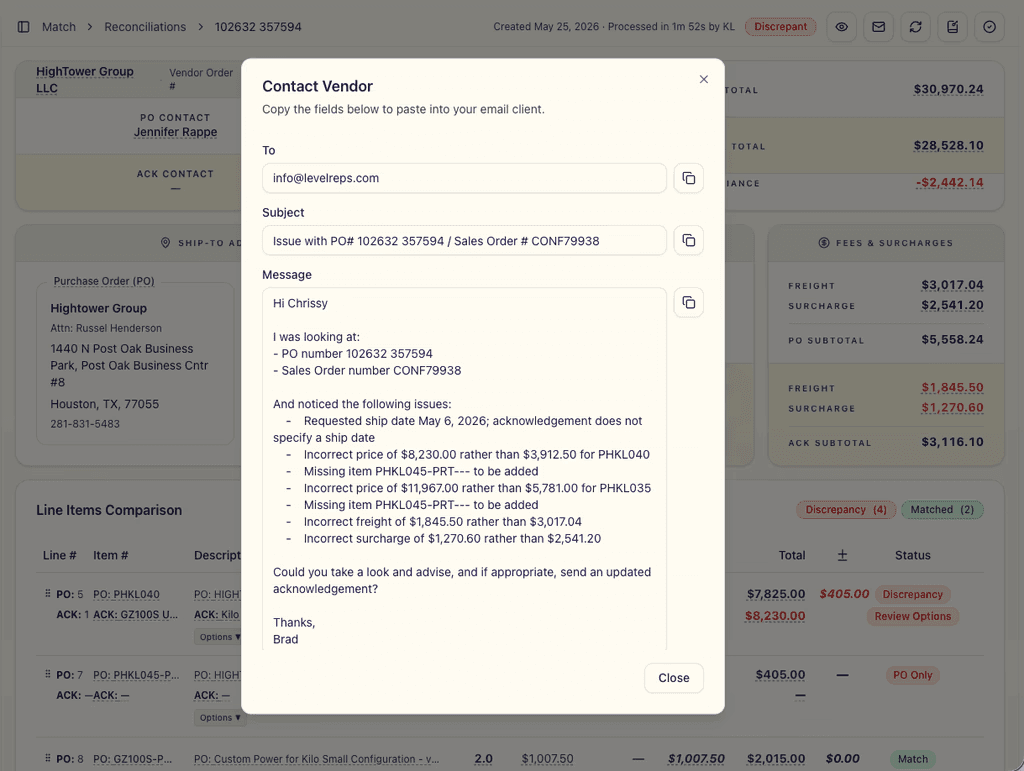
Yes. Match produces a clear, itemized view of every discrepancy, making vendor error-resolution faster and more transparent.
Does Match integrate with ERP systems?
Yes. Cerulean is building direct API integrations with major ERP systems. Match can also be used as a standalone web-based tool that fits into existing order entry workflows without integration.
Users and Pricing
Who typically uses Match inside a dealership?
Typically order entry teams, project coordinators, and operations teams responsible for validating vendor acknowledgements.
How much does Match cost?
Match is priced as a dealership subscription and is lower cost than offshore alternatives. Contact us for current pricing.
Is there a cost to adding additional users?
No. A Match subscription is for the dealership. Users can be added, edited, or removed without worrying about seat limits or additional charges.
Implementation
How long does implementation take?
Implementation for Match is typically fast because it does not require complex system integrations. Most dealerships begin using Match within weeks of onboarding. The Cerulean team helps configure your system, train your team, and get you saving time almost immediately.
Subscribe for expert analysis of developments in AI
FAQs
Common questions
Documents and Inputs
What documents does Match compare?
Match compares Purchase Orders (POs) against Order Acknowledgements (OAs) from vendors. These are the two primary documents exchanged between dealers and manufacturers when an order is placed and confirmed.
What file formats does Match support?
Match accepts PDFs and image files including PNG, JPG, and JPEG. Because Match supports images, users can upload screenshots or scans of documents received by email or from vendor portals.
Do documents need to follow a specific format?
No. Match is trained on contract furniture documents from a wide range of manufacturers and can process documents regardless of layout or formatting style.
Document Comparison Accuracy
What does Match validate?
Match validates totals, line items, quantities, pricing, freight, and shipping details across a Purchase Order and its corresponding Order Acknowledgement. Match also identifies where options such as colors and finishes may be discrepant.
How accurate is Match?
Match's AI is trained specifically on contract furniture documents and improves as it processes more orders. Users review Match's output before finalizing any dispute or vendor communication.
Workflow
How does Match fit into the order entry workflow?
After a vendor returns an Order Acknowledgement, users upload both the PO and OA into Match. Match compares the two documents and surfaces discrepancies in seconds, so teams can resolve issues before they become fulfillment problems.
Can Match help resolve issues with vendors?
Yes. Match produces a clear, itemized view of every discrepancy, making vendor error-resolution faster and more transparent.
Does Match integrate with ERP systems?
Yes. Cerulean is building direct API integrations with major ERP systems. Match can also be used as a standalone web-based tool that fits into existing order entry workflows without integration.
Users and Pricing
Who typically uses Match inside a dealership?
Typically order entry teams, project coordinators, and operations teams responsible for validating vendor acknowledgements.
How much does Match cost?
Match is priced as a dealership subscription and is lower cost than offshore alternatives. Contact us for current pricing.
Is there a cost to adding additional users?
No. A Match subscription is for the dealership. Users can be added, edited, or removed without worrying about seat limits or additional charges.
Implementation
How long does implementation take?
Implementation for Match is typically fast because it does not require complex system integrations. Most dealerships begin using Match within weeks of onboarding. The Cerulean team helps configure your system, train your team, and get you saving time almost immediately.
